
EVENT LEAD CAPTURE
Meet them today.
Remember what
matters tomorrow.
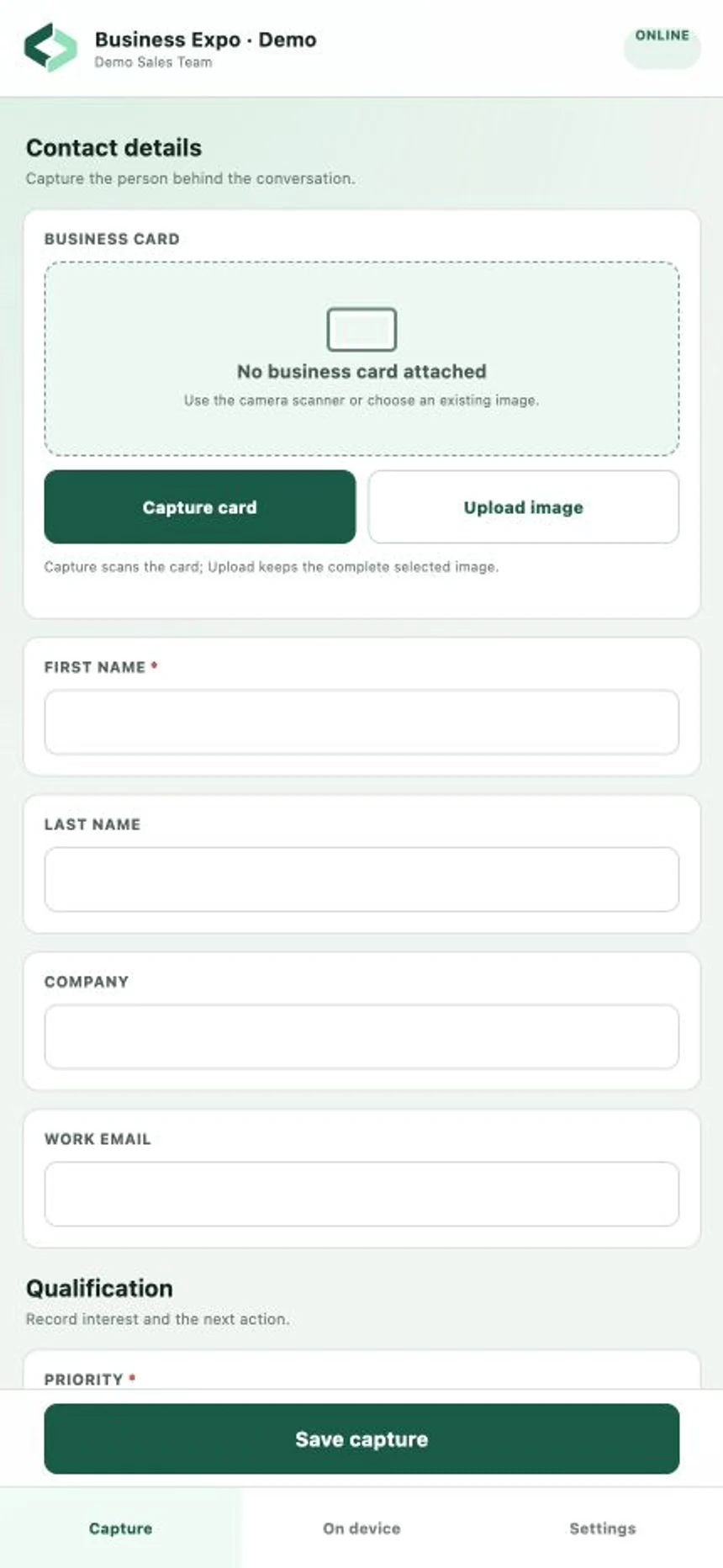
Bring the energy of an event into an organized sales follow-up. Give your team a capture form built for the conversations they’re having.
See event capture in actionAn installable PWA. Your existing Cam-Sales credentials.
BEFORE, DURING, AND AFTER THE EVENT
One connected event workflow.
- 01
Set up your event
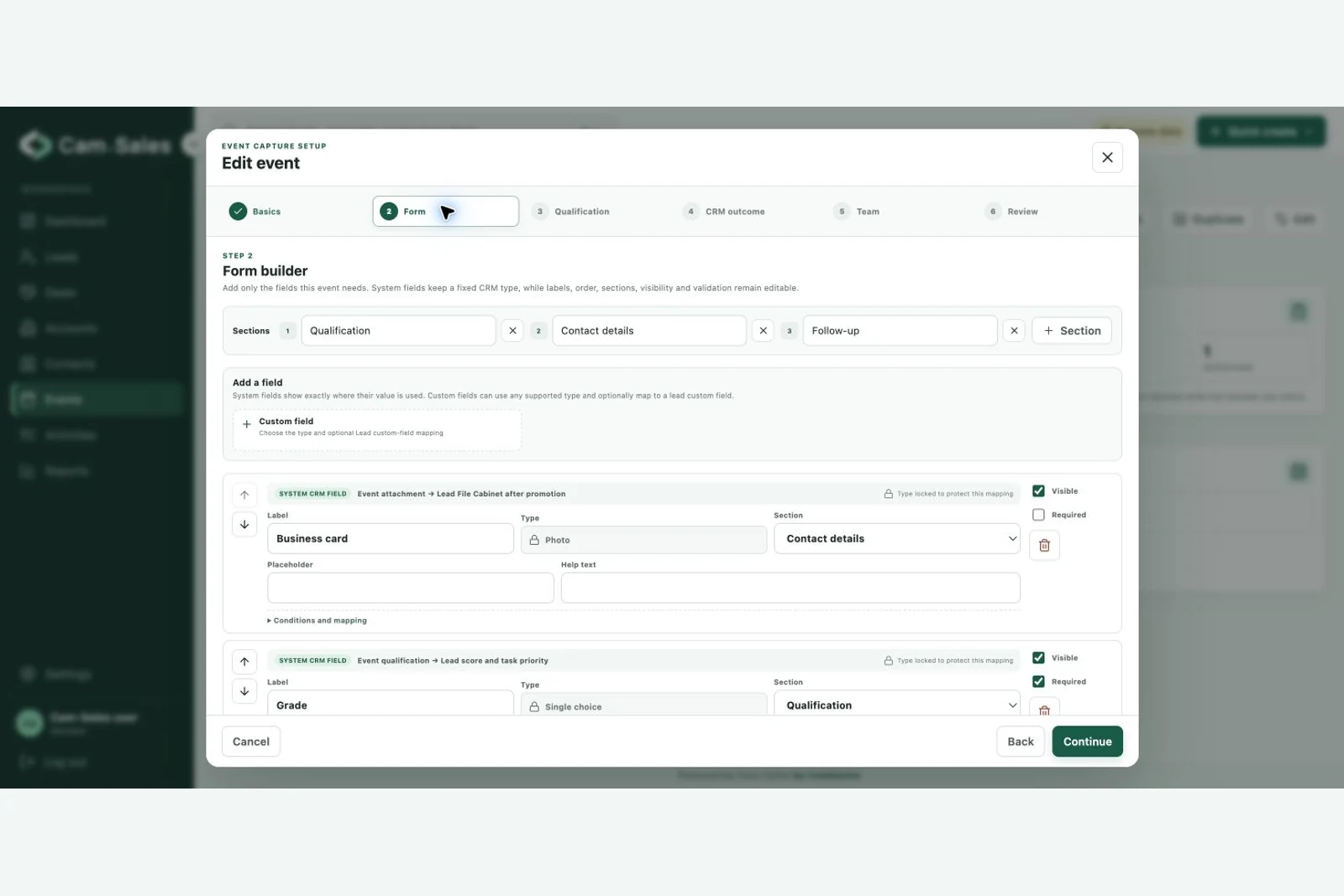
Choose fields and sections, configure lead mapping, and assign your capture team.
- 02
Capture the conversation
Open the event link, add contact details, photograph a card, and record interests.
- 03
Reconnect and review
Synchronize saved records. Resolve duplicates and validation exceptions in one place.
- 04
Follow through in CRM
Work with the created leads, assigned ownership, and configured next actions.
A FORM THAT FITS THE EVENT
Ask the questions
that matter to your team.
Configure the event form and its CRM mapping before the team heads out.
CONNECTED WHEN IT COUNTS
Offline at the venue.
Visible when you reconnect.
Once signed in online and the event is set up on the device, capture data is saved locally before success is shown. The app keeps sync status and rejected records visible.
- Photos upload separately from submission details
- Event links identify the workspace and event
- Assigned team membership controls capture access
- Event branding inherits the workspace unless overridden
A few practical details
Offline capture is available in the Event Capture PWA, rather than a native App Store application.
Keep the browser’s saved data intact until records and photos finish syncing. Closed events follow the configured late-sync window.
Business-card capture stores the image. Automatic OCR or AI extraction is not included.
LET’S TALK ABOUT YOUR SALES WORKFLOW
A clearer path to
your next deal.
Show us how your team works. We’ll show you how Cam-Sales can fit.